The Phone in GTA 6: All the Apps
Updated November 24, 2026
In GTA 6, the phone opens with up on the D-pad, on both PS5 and Xbox.
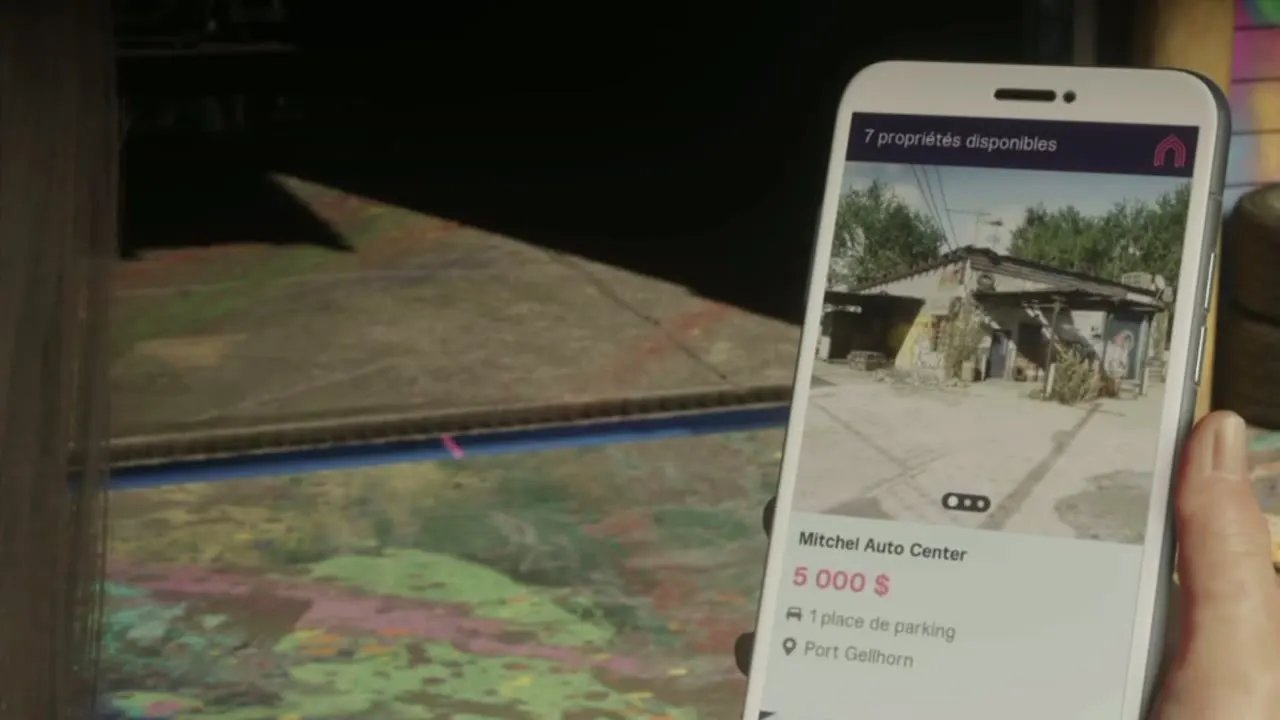
It brings together a dozen apps: vehicle scanner, bank, taxi, car delivery, messaging, photos and more.
Opening the phone
Press up on the D-pad. Move between apps with the D-pad, then confirm with X (PS5) or A (Xbox). The controls are shown at the bottom right of the screen.
The apps
| App | What it does |
|---|---|
| WAiNK | Scan a vehicle: security, alarm, tracker, resale value. |
| BuckMe | Manage your bank account. It unlocks with the “Buck Me” mission. |
| RydeMe | Call a driver and travel quickly. You pay for the ride. |
| Scooter Bros | Have your personal vehicle delivered. It arrives later in the story. |
| WhatUp | Messaging, with the characters who offer missions and deals. |
| Contacts | Call or message your contacts. |
| Snapmatic | Browse a social feed and follow accounts. |
| Camera and Gallery | Take photos and view them again. |
| Fitness | Tracking of exercise, food and sleep. |
| News and Weather | News from Leonida, current weather and tomorrow's forecast. |
| Settings | Wallpaper and ringtone. |
The three most useful apps
WAiNK saves you from stealing a random car: you see what protects it before acting. For what comes next, see how to keep a stolen car.
BuckMe is your bank. We saw a checking account there, a “family savings account” with a goal, and transfers. Putting your money somewhere safe is useful: read what you lose when you die and how to deposit money.
Real estate also goes through the phone: we found a listings app with a Mitchel Auto Center garage in Port Gellhorn, $5,000, one space. One guide calls it “Vice City Real Estate” and ties it to chapter 2. Details in our page on buying a garage.
Sources and updates
- Beebom, « How to Use the Phone in GTA 6 » (page dated November 23, 2026)
- Games.gg, « How to use the phone in GTA 6 » (page dated November 23, 2026)
- Beebom, « All Apps on GTA 6 Phone and Their Uses » (page dated November 23, 2026)
Information cross-checked and verified on November 24, 2026. We only publish a combination or a figure when several reliable guides give the same thing. Spotted a mistake or a confirmed code? Write to us from the contact page.
Frequently asked questions
How do you open the phone in GTA 6?
Press up on the D-pad, on both PS5 and Xbox Series.
What is WAiNK for?
It scans a vehicle so you can see its security, alarm, tracker and resale value before stealing it.
How do you access the bank?
Through the BuckMe app, which unlocks after a story mission.
How do you get your personal car back?
With the Scooter Bros app, which appears later in the story.
Related guides
- BuckMe bank and depositsUnlock BuckMe, find an ATM, deposit and use the savings account.
- Keeping a stolen carA stolen car vanishes if you abandon it: here is how to keep it.
- Buying a garageEight garages to buy through a phone app, from $4,000 to $40,000 depending on guides.
- Losing money on deathCash is lost, the bank takes a small hit: how to limit losses.
- Recommended SettingsAiming, camera, subtitles, assists: the settings that really change the experience.
- PS5 and Xbox ControlsThe controls the guides agree on, for PS5 and Xbox Series.
- Beginner tipsGTA 6 beginner tips: protect your money, Focus mode, shaking off the police, WAiNK, getting around, training J
- Trophies and achievementsFull list of the 55 GTA 6 trophies and achievements (PS5, Xbox): requirements, hidden trophies, platinum time
- All cheat codesFull list of all 61 GTA 6 cheat codes on PS5 and Xbox Series: 17 confirmed combinations, the unlock challenge
- Fast moneyHow to make money fast in GTA 6: vault heists, cars for Randy, jewelry stores, gangs. Earnings by chapter, plu
- Missions listGTA 6 walkthrough: all 91 story missions in 5 chapters, the chapter 1 list in order (Prologue, Gone Fishing...