BuckMe Bank: How to Deposit Money in GTA 6
Updated November 24, 2026
To deposit money in GTA 6, you need to unlock the BuckMe account in chapter 1, then go to an ATM: the app alone does not transfer cash.
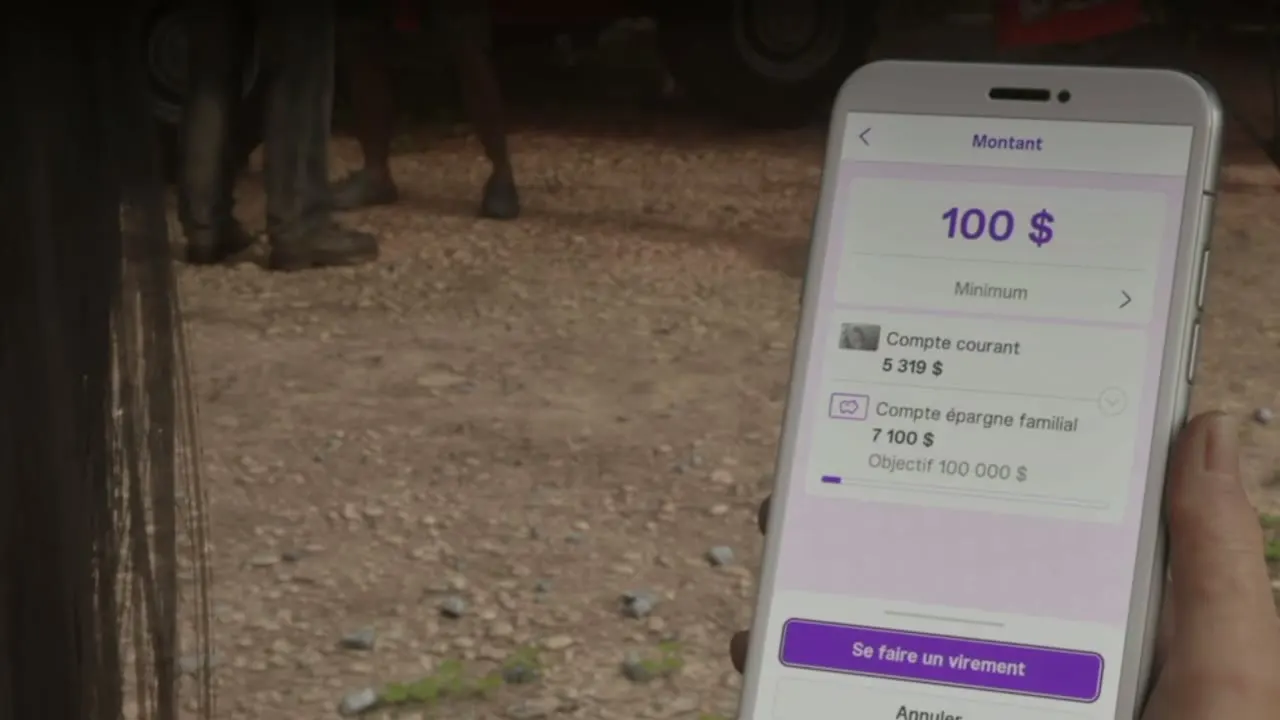
A deposit protects your money if you die.
Unlocking the account
The BuckMe account opens in chapter 1 through a mission called "Buck Me", one of the first missions in the game. It installs the app on your phone. Before that, the only reliable hiding place is the floor of Jason's bedroom (see losing your money on death).
Depositing and withdrawing
You deposit at an ATM, never from the app. Just open BuckMe and choose "ATM Finder": the nearest one is marked on the map. The same ATMs let you withdraw money from the checking account.
In our playthrough, we saw that the checking account and the family savings account both appear in the app, with a savings goal and the option to transfer money between the two.
Family savings: careful, it is one-way
Money transferred to family savings can no longer be withdrawn, but it cannot be lost either. Each goal reached unlocks perks, including higher checking account limits. Think before you confirm: a transfer to savings cannot be undone.
What BuckMe changes about your purchases
- Shops accept cash for items up to about $999; above $1,000, you have to pay with BuckMe.
- Big purchases, such as garages, go through the account.
Limits to know
Cash is capped at $20,000 per character. If you go over it without visiting an ATM, you risk losing it when arrested. Note also that even money in the bank takes a small loss on death: see this page.
A real example
You have just sold loot to a fence: the cash is in your pocket. Open BuckMe, start the locator, go to the ATM, deposit, and only then head back out. This two-minute habit keeps you from losing everything at the next arrest. See where to sell loot.
Our video on the subject sums up the mistakes to avoid so your money does not vanish.
On the channel

Sources and updates
- GamesFuze, « How to avoid losing money when you die in GTA 6 » (page dated November 23, 2026)
- GTABase, « How to make money in GTA 6 » (guide complet) (page dated November 23, 2026)
- Gameriv, « How to store money safely before unlocking a bank account » (page dated November 23, 2026)
Information cross-checked and verified on November 24, 2026. We only publish a combination or a figure if several reliable guides give the same thing. Spotted a mistake or a confirmed code? Write to us from the contact page.
Frequently asked questions
How do you deposit money in GTA 6?
Open the BuckMe app, find an ATM with the locator, then deposit your cash there.
Can you withdraw money from family savings?
No. That money can neither be withdrawn nor lost, and the transfer cannot be undone.
When does BuckMe become available?
In chapter 1, after a mission called "Buck Me", one of the first missions.
Related guides
- Losing money on deathCash is lost, the bank takes a small hit: how to limit losses.
- Making money (guide)The lasting ways to earn money in GTA 6, and how to avoid losing it.
- Phone and AppsWAiNK, BuckMe, RydeMe, Scooter Bros: what each phone app is for.
- Buying a garageEight garages to buy through a phone app, from $4,000 to $40,000 depending on guides.
- Hidden money stashesPlaces to loot early: amounts, access and what to sell.
- Fast moneyHow to make money fast in GTA 6: vault heists, cars for Randy, jewelry stores, gangs. Earnings by chapter, plu
- HeistsGTA 6 heists guide: jewelry stores ($10,000 to $25,000), vaults (up to about $205,000), when they unlock and h
- Buying a house or propertyNo houses to buy: only garages, plus free safehouses by chapter.
- All cheat codesFull list of all 61 GTA 6 cheat codes on PS5 and Xbox Series: 17 confirmed combinations, the unlock challenge
- Missions listGTA 6 walkthrough: all 91 story missions in 5 chapters, the chapter 1 list in order (Prologue, Gone Fishing...
- Map and locationsThe GTA 6 map explained region by region: Vice City, Leonida Keys, Grassrivers, Port Gellhorn, Ambrosia and Mo