How to Turn On Auto Drive in GTA 6
Updated November 24, 2026
To turn on auto drive in GTA 6, place a waypoint on the map, switch to cinematic view, then hold Circle (PS5) or B (Xbox).
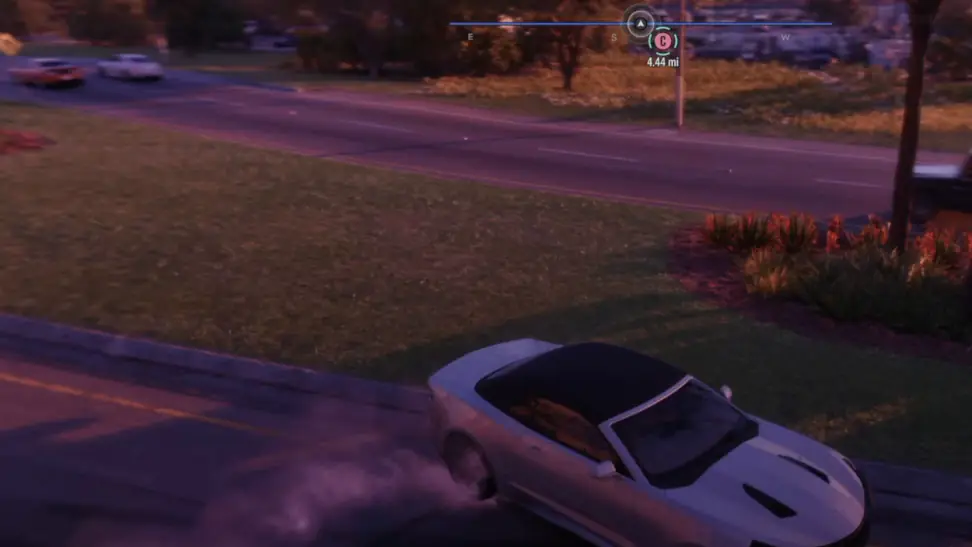
In the settings, you can set it to “Restricted” or “Unrestricted”.
What is Auto Drive for?
Auto drive lets Jason or Lucia drive to your destination while you enjoy the scenery. It is handy for long trips between two regions of the map. It only works in cinematic view.
The setting in the options
In the pause menu, open Settings then the Gameplay tab, and look for “Auto Drive”, near the bottom of the list. There are two choices: Restricted, where auto drive is only available in situations considered safe, and Unrestricted, where it is available everywhere. Two guides state that by default it only works on roads: on the beach or off-road, the prompt disappears. In our playthrough, the setting was on “Limited”.
The limits
- Even in “Unrestricted”, the trip is not risk-free: the vehicle can hit trees, bushes or animals off-road.
- You adjust the speed with the triggers during the trip.
During the trip
Once the drive has started, the triggers are used to slow down or speed up: L2 and R2 on PS5, LT and RT on Xbox, according to one guide. To take back control, two guides describe holding a button: the same one used to activate it, or down on the D-pad to leave cinematic view. If the prompt doesn't appear, first check that you are in a motorized land vehicle, that cinematic view is active, and that the “Auto Drive” setting isn't stuck on “Restricted” while you are driving off-road.
Other useful settings
Auto drive is part of the accessibility assists. You will find the others (aiming, camera, mini-games) in our recommended settings page. For the basic buttons, see the PS5 and Xbox controls. And if you need to change cars before a long trip, look at how to keep a vehicle.
Step by step
- Set Auto Drive : Pause menu, Settings, Gameplay tab: choose “Auto Drive” as Restricted or Unrestricted (the latter also allows off-road).
- Place a waypoint : Open the map and place a waypoint on your destination.
- Switch to cinematic view : In the vehicle, hold down on the D-pad then press Options (PS5) or Menu (Xbox).
- Start the drive : Hold Circle (PS5) or B (Xbox) until the vehicle sets off. Adjust the speed with the triggers.
Sources and updates
- Beebom, « How to Auto-Drive in GTA 6 » (page dated November 23, 2026)
- Game Tyrant, « How to enable unrestricted auto driving in GTA 6 » (page dated November 23, 2026)
- Games.gg, « GTA 6 accessibility settings guide » (page dated November 23, 2026)
Information cross-checked and verified on November 24, 2026. We only publish a combination or a figure when several reliable guides give the same thing. Spotted a mistake or a confirmed code? Write to us from the contact page.
Frequently asked questions
Can you use auto drive off-road?
Not by default: the prompt disappears on the beach or off-road. In Unrestricted mode it is possible, with a risk of collision.
What is the difference between Restricted and Unrestricted?
In Restricted, auto drive is only offered in safe situations. In Unrestricted, it is also offered off-road, with a risk of collision.
How do you take back the wheel?
One guide says to hold the same button used to activate it; another says to hold down on the D-pad to leave cinematic view.
Related guides
- Recommended SettingsAiming, camera, subtitles, assists: the settings that really change the experience.
- PS5 and Xbox ControlsThe controls the guides agree on, for PS5 and Xbox Series.
- Map and locationsThe GTA 6 map explained region by region: Vice City, Leonida Keys, Grassrivers, Port Gellhorn, Ambrosia and Mo
- Losing the PoliceBreak line of sight, then clear what the police know about you, in the right order.
- Keeping a stolen carA stolen car vanishes if you abandon it: here is how to keep it.
- Beginner tipsGTA 6 beginner tips: protect your money, Focus mode, shaking off the police, WAiNK, getting around, training J
- Trophies and achievementsFull list of the 55 GTA 6 trophies and achievements (PS5, Xbox): requirements, hidden trophies, platinum time
- FishingWhere to fish, how to hook and tire a fish, and the no-kill rule.
- All cheat codesFull list of all 61 GTA 6 cheat codes on PS5 and Xbox Series: 17 confirmed combinations, the unlock challenge
- Fast moneyHow to make money fast in GTA 6: vault heists, cars for Randy, jewelry stores, gangs. Earnings by chapter, plu
- Missions listGTA 6 walkthrough: all 91 story missions in 5 chapters, the chapter 1 list in order (Prologue, Gone Fishing...